How I Finally Made AI Write Code I Don't Hate
I'm a Software Engineer with a strong technical background in building impactful SaaS solutions, web applications, and mobile platforms. My expertise spans programming languages like Java, JavaScript, and PHP, alongside frameworks such as Spring Boot, Vue.js, and Node.js. I thrive on creating reliable, scalable, and user-centered applications that solve real-world challenges. Throughout my career, I’ve paired my technical journey with a passion for mentoring and training. As a mentor and trainer, I’ve guided aspiring developers, particularly at institutions like École 229, through immersive learning experiences. My approach combines practical projects, collaborative problem-solving, and innovative teaching methods to foster both technical expertise and essential team dynamics. Beyond coding, I bring a strong set of soft skills—including communication, adaptability, and problem-solving—that enable me to drive successful project outcomes and support the growth of those around me. Some of my most notable achievements include developing a secure e-commerce application following Agile best practices and delivering numerous WordPress sites that enhanced brand presence and user experience for small businesses. Looking ahead, I am eager to transition into a Product Owner role, where I can bridge the gap between technical development and strategic vision. My goal is to leverage my technical expertise, mentoring experience, and user-focused approach to shape products that deliver real value and resonate with their audiences. Feel free to reach out if you'd like to discuss technology, product management, or collaborative projects :)
You open a new ChatGPT window. The cursor blinks. It's a clean slate. You have a complex bug in your codebase, a subtle logical error that spans three different files and a service class.
You begin the dance.
"Here is my UserService.ts file," you type, pasting in 150 lines of code. The AI gives a generic summary. "Okay," you continue, "now here is the OrderController.ts that uses it." Another 200 lines go into the chat box. "And finally, here's the api-types.ts file with the data structures."
You've spent five minutes just setting the stage, and you haven't even asked your question yet. You feel less like a programmer and more like a human copy-paste machine.

If this feels familiar, it's because we've all been treating AI like a magic eight ball instead of what it really is: an infinitely fast, incredibly knowledgeable, but utterly amnesiac junior developer. Each time you open a new chat, you've hired a new intern who has no idea who you are, what your project does, or what you did five minutes ago.
The era of just "prompting" this intern is over. Welcome to the age of Context Engineering.
The Paradigm Shift: Your Intern Needs a Brain
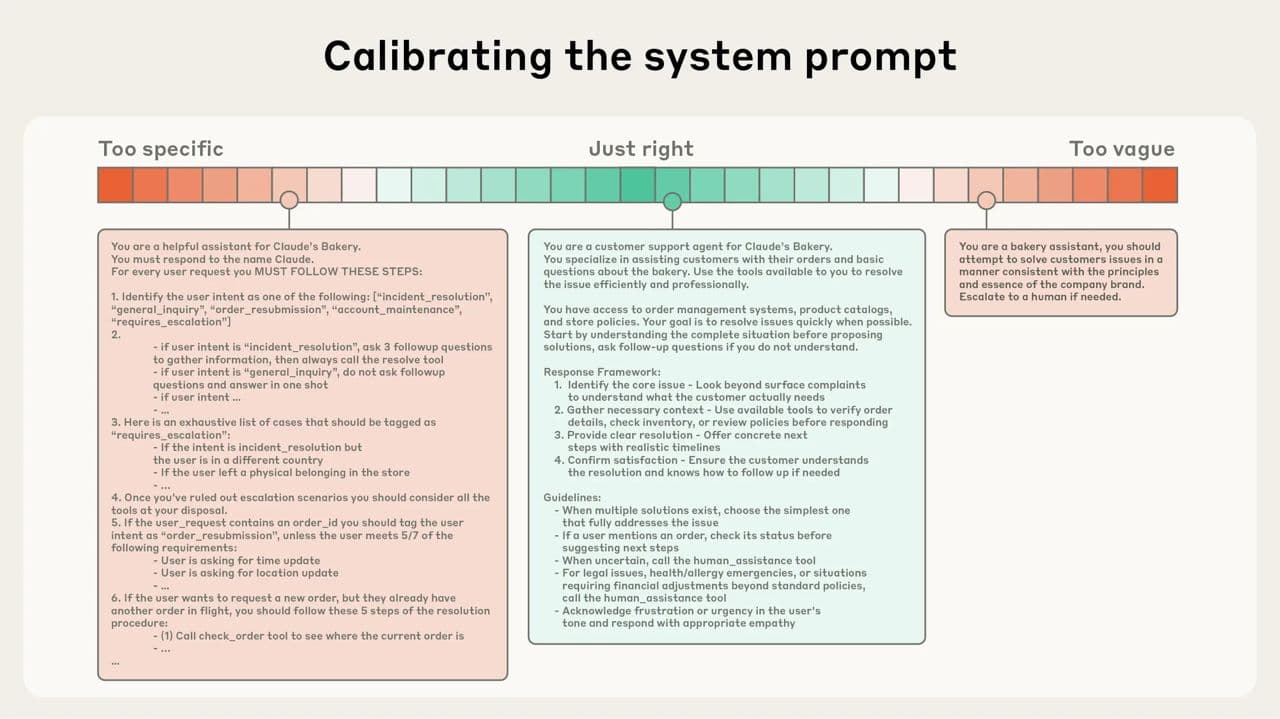
A recent article from the brilliant minds at Anthropic (the creators of Claude) finally gave this concept a name. They explain that the real skill is no longer just finding the right words for a prompt, but "curating and maintaining the optimal set of tokens (information) during LLM inference."
In plain English? The AI's performance is directly tied to the quality of the "brain" you give it for a task.
This is critical because of something called "context rot." Like us, LLMs have a finite "attention budget." The more stuff you cram into their head at once (a huge prompt, long chat history, multiple files), the less attention they can pay to any single piece of it. They start to forget the instructions you gave them at the beginning.
So, the goal is to give the AI the smallest possible set of the most relevant information to get the job done right. After thousands of hours of integrating AI into my daily coding, I've learned that this "context curation" boils down to three simple principles.
The Role: Give Your Intern a Job Title
You would never tell a new hire, "Just do some stuff." You give them a role: "You're the front-end specialist," or "You're the database expert." You must do the same for your AI. Its entire perspective changes when it has a persona.
Bad example:
"Look at this SQL query and make it better."
Good example:
"You are a Senior PostgreSQL DBA with 20 years of experience specializing in query optimization for large-scale time-series data. Your task is to analyze the following query for performance bottlenecks. Rewrite it to be more efficient, and explain your changes by referencing index usage and execution plan improvements."
One is a vague request; the other is a professional assignment. The results you get will be worlds apart.
The Documents: Give Your Intern Access to the Repo
This is the biggest game-changer. An AI in a standard chat window is working in a vacuum. It doesn't know your codebase.
This is why context-aware tools are no longer a luxury; they are a necessity for any serious developer. Tools like Windsurf, Cursor, and Sourcegraph Cody are built for this. They plug directly into your IDE and use techniques like embeddings to create a vector representation of your entire codebase.
What does that mean? It means the AI has already "read" every file before you even ask a question.
I was recently debugging an issue where a user's permissions weren't updating correctly on the front end after their role was changed in the backend. This involved a journey through a NestJS controller, a Prisma service, a Next.js API route, and finally, a React component. In the "old world" (i.e., last year), that would have been 20 minutes of copy-pasting into ChatGPT.
Instead, I highlighted the four relevant files in my IDE and typed into Windsurf: "The user's role is updated in the database here, but the front-end component isn't reflecting the change on re-render. Walk me through the data flow and tell me where the state is getting lost."
Two minutes later, it had not only identified the stale state issue in my React hook but had also suggested using a specific library we were already using elsewhere in the project to fix it. It knew this because it had context.
That's the difference between a blind intern and one who has full access to your project's documentation and source code.
The Format: Give Your Intern a Template to Fill Out
If you need a specific output, don't describe it, show it. This technique, called "few-shot prompting," is the ultimate way to eliminate ambiguity.
Bad example:
"Generate some user data for my tests."
Good example:
"You are going to generate a JSON array of 10 user objects for a test database. You must follow this exact format and these rules.
Rules:
idmust be a UUIDv4.emailmust be a unique, realistic-looking email.membershipmust be one of these three values: 'free', 'premium', 'enterprise'.
Example of a single object:
{
  "id": "a1b2c3d4-e5f6-7890-1234-567890abcdef",
  "email": "example.user@email.com",
  "membership": "premium"
}
Now, generate the array of 10 objects."
You're not hoping for the right answer; you're guaranteeing it. I use this for everything: creating API documentation that matches my style, writing commit messages that follow the Conventional Commits standard, and scaffolding new components based on an existing one.
Beyond the Basics: Giving Your Intern a Long-Term Memory
The real magic happens when you chain these tasks together. The Anthropic team talks about techniques for "long-horizon tasks" complex jobs that require the AI to remember things from one step to the next.
Two techniques I now use daily are:
1. Structured Note-Taking: It's as simple as it sounds. I have my AI agent maintain a SCRATCHPAD.md or PLAN.md file in the project directory. Before it starts a complex task like a big refactor, its first instruction is to write out a step-by-step plan in that file. After each step, it updates the file, checking off what's done. If the process gets interrupted, it can just read the file to pick up exactly where it left off. It's a persistent memory.
2. Compaction: As the AI works, the conversation history (the context) gets cluttered. Compaction is like telling your intern, "Okay, before we move on, summarize the key decisions and unresolved issues from our last task into five bullet points." You then start the next task with that clean, dense summary instead of the entire messy history. The signal-to-noise ratio skyrockets.
This Is the New Skill Mastering context engineering changes your relationship with AI. It stops being a frustrating toy and becomes a genuine collaborator. A partner. It's the difference between hiring a new intern every five minutes and working with a junior developer who learns, remembers, and grows with your project. And that is becoming the single most valuable skill for any developer in the AI age.

Okay, You're Convinced. Now Let's Actually Do Context Engineering.
Let's move from the why to the how. This is my practical, no-fluff guide to integrating context engineering into your daily workflow.
Step 1: Choose Your Weapon (Your Context-Aware Toolkit)
First things first, you can't do this in a standard ChatGPT window. You need a tool that lives where your code lives: in your IDE. These tools are designed to read your entire codebase and feed it to the AI. Here are my favorites:
Windsurf (formerly Codeium): This is my daily driver. It's a supercharged extension that you add to your existing IDE (VS Code, JetBrains, etc.). It excels at codebase-aware chat and a ridiculously good autocomplete. Choose this if: You love your current editor setup and want to add superpowers to it.
Cursor: This is a complete, standalone IDE that's been forked from VS Code and rebuilt from the ground up for AI. The integration is seamless because the entire editor is the AI tool. Choose this if: You want the most tightly integrated experience possible and are open to adopting a new (but very familiar) editor.
Sourcegraph Cody: Cody is an expert at understanding massive, complex codebases. It's built by a code search company, and it shows. It can pull context from your entire organization's code, not just what's on your local machine. Choose this if: You work in a large enterprise environment with many repositories and need the AI to understand cross-team dependencies.
Your First, Most Important Task: After you install one of these, it will ask to "index your project." Do not skip this. This is the step where the AI reads everything, your files, your dependencies, your folder structure, and builds its "brain." It can take a few minutes on a large project. Go get a coffee. Let it cook. This is the foundation for everything that follows.
Step 2: A Practical Workflow : The Multi-File Bug Hunt
Let's revisit that permissions bug I mentioned. Here's the play-by-play of how I used Windsurf to solve it.
The Scenario: A user's role is updated in the database, but their dashboard on the front end still shows the old, cached permissions.
My Old Process:
Read the backend controller code.
Read the service that talks to the database.
Read the API route in the front-end codebase.
Read the React component that displays the dashboard.
Swear, because I still can't see the issue.
Start copy-pasting all four files into ChatGPT and pray.
My New, Context-Engineered Process:
Gather the Evidence: Inside VS Code, I right-click on each of the four files involved (
permissions.controller.ts,permissions.service.ts,useUserPermissions.ts, andDashboard.tsx) and select "Add to Windsurf Chat." Now, the AI's context is surgically focused on only the relevant parts of the codebase.Assign the Role & Task: My first prompt isn't "fix it." It's an investigation command:
"You are a senior full-stack TypeScript developer. The files I've provided represent the flow for updating and displaying user permissions. A bug has been reported where the
Dashboard.tsxcomponent is showing stale data after the role is updated in the backend. Trace the data flow from the controller to the React hook. Explain where the caching is likely happening and why the front-end state isn't being revalidated."Analyze the Output: Windsurf comes back and correctly identifies that the React Query hook (
useUserPermissions.ts) has astaleTimeset to 5 minutes, meaning it won't refetch the data from the API automatically within that window. The backend is working fine, but the front end is intentionally showing old data.Iterate for a Solution: The bug is found, but now I need a fix. My follow-up prompt is:
"You're right. Based on the code for the
useUserPermissionshook, what's the best way to manually invalidate the query's cache from another component after the update action is successful? Show me the code I would need to add to the component that triggers the role change."
It then provides the exact queryClient.invalidateQueries(['userPermissions']) line I need, tailored to the key I was already using in my hook.
The entire process took three minutes. No copy-pasting. No explaining my file structure. Just a focused conversation with an expert who had already read all the relevant documents.
Step 3: A Second Workflow : Building a New Feature
Context engineering isn't just for bugs. It's even more powerful for creating new things that match the style of your existing code.
The Scenario: I need to build a new API endpoint, /users/{id}/summary, that returns a user's profile info and their last five login dates.
Find Your Template: I know I have another endpoint,
/users/{id}/profile, that already does a good job of validation, error handling, and serialization.The "Mirror" Prompt: I create a new empty file,
user-summary.controller.ts. I then add both the new empty file and the existinguser-profile.controller.tsto the AI chat context. My prompt is:"Using
user-profile.controller.tsas a template for structure, style, and error handling, create the controller logic for the newuser-summary.controller.tsfile. The new endpoint isGET /users/{id}/summary. It needs to call two services:this.userService.findById(id)andthis.authService.getLastFiveLogins(id). Combine the results into a single DTO and return it."The Result: The AI generates the new controller, perfectly matching our project's coding style. It uses the right decorators, injects the correct services, and handles the
UserNotFounderror exactly like the other file does. It's not generic code; it's my code. 90% of the work is done in 30 seconds.
The Real Takeaway: It's a Habit, Not a Hack
This isn't about finding a single "god prompt" that solves all your problems. It's about fundamentally changing your daily habits.
Before you write code, you gather context.
Before you ask for a fix, you provide the evidence.
Before you ask for a new feature, you show it an example.
You start thinking like an architect, deliberately providing your AI partner with the perfect briefing documents for every single task. When you make that shift, you'll stop fighting with your tools and start building with them.